
It’s 3:00 PM on a Tuesday. Your 3 o’clock just no-showed. Again. The slot’s been blocked for an hour and a half. You can’t backfill it. Your staff is standing around. And the ripple starts: you’re behind for the rest of the day, the 5 o’clock gets bumped, and that customer who would have taken the 3 PM slot tomorrow books with your competitor instead.
Most owners think appointment no-shows are just part of running a small business. They’re not. A review of 105 studies found the average no-show rate sits around 23%. That’s nearly one in four appointments vanishing into thin air. For a small business running 20 appointments a day at $80 each, a 20% no-show rate is $320 gone per day. That’s $1,600 a week. Over $83,000 a year.
And here’s the part that stings: most of those no-shows aren’t malicious. People forget. Their week got chaotic. They meant to reschedule but never got around to it. The problem isn’t your customers. It’s that you’re counting on human memory in a world where nobody remembers anything anymore.
The Real Cost Isn’t Just the Appointment
When a slot goes empty, you lose more than the appointment fee. You lose the prep time. The materials. The staff hours you blocked off. And you lose the next booking opportunity because that slot was held, often for days or weeks.
Here’s what that actually looks like. Say you run a dental practice. You block off an hour for a cleaning and exam at $150. The patient no-shows. You don’t just lose $150. You lose the 15 minutes your hygienist spent prepping the room. You lose the receptionist’s time confirming the appointment earlier that week. You lose the materials you opened and can’t reuse. And you lose the patient who called yesterday asking for an appointment this week, because you told them you were booked.
The U.S. healthcare system alone loses an estimated $150 billion per year to no-shows. That’s not a rounding error. That’s entire businesses getting hollowed out one empty appointment at a time.
Around Augusta, small businesses already running lean can’t afford to burn 20% of their capacity on people who don’t show up. A hair salon losing 15% of its weekly appointments at $65 each bleeds over $31,000 a year. A fitness trainer losing 20% of sessions at $75 each drops $39,000. A dental practice missing 12% of appointments at $150 each? Nearly $47,000.
The math gets ugly fast. And if you’re manually calling or texting to remind people, you’re spending hours every week just trying to protect revenue you’ve already booked. That’s time you’re not spending with customers. Time you’re not spending growing the business. Time spent playing defense against a problem that shouldn’t exist in the first place.
Why Automated Reminders Cut No-Shows by 30% or More
SMS reminders work because they hit three things at once: timing, channel, and friction.
Timing. A systematic review of 29 studies found that automated reminders reduced missed appointments by 29% compared to no reminders. That’s not a marginal improvement. That’s cutting your no-show rate nearly in third. The key is the reminder arrives when people can still do something about it. Three days out, they can reschedule without scrambling. Twenty-four hours out, it’s top of mind. Two hours out, they’re already in motion.
Channel. SMS has a 98% open rate. Email sits at 26%. People read texts within three minutes on average. That means your reminder doesn’t sit buried in an inbox under 47 unread messages. It shows up on their lock screen while they’re standing in line at the grocery store.
Friction. The best reminders don’t just say “you have an appointment.” They say “reply YES to confirm or CANCEL to reschedule” with a link. One tap and it’s handled. No hunting for your number. No phone tag. The easier you make it to reschedule, the more people do it before the appointment instead of just ghosting.
The Three-Touch Cadence That Works
Here’s the sequence that works for most service businesses: three days out, 24 hours out, and two hours out. Each reminder has a specific job. Miss one, and you leave a gap where no-shows can slip through.
Three days before: This is the planning reminder. “You have an appointment with [Business] on [Day] at [Time]. Reply YES to confirm or tap here to reschedule.” At this distance, people can still move things around without chaos. If they need to cancel, you have time to backfill the slot from your waitlist. This catches the people who double-booked, the people who forgot they had a conflict that week, and the people who aren’t sure yet but will know in the next day or two.
If someone doesn’t respond to the three-day reminder, that’s your early warning. You can follow up. You can reach out to your waitlist. You can adjust your schedule before you’re stuck with a same-day hole you can’t fill.
Twenty-four hours before: This is the commitment reminder. “Your appointment with [Business] is tomorrow at [Time]. We’re looking forward to seeing you. Reply CONFIRM or reschedule here.” It’s a gentle nudge. The appointment is close enough that it’s real now, but far enough out that a last-minute conflict hasn’t hit yet. This is where most people who are going to cancel will actually cancel, because they’re looking at their calendar for tomorrow and realizing they can’t make it.
The 24-hour mark is also your last clean opportunity to backfill. A cancellation at 24 hours is annoying but survivable. A cancellation at two hours or a straight no-show is lost revenue.
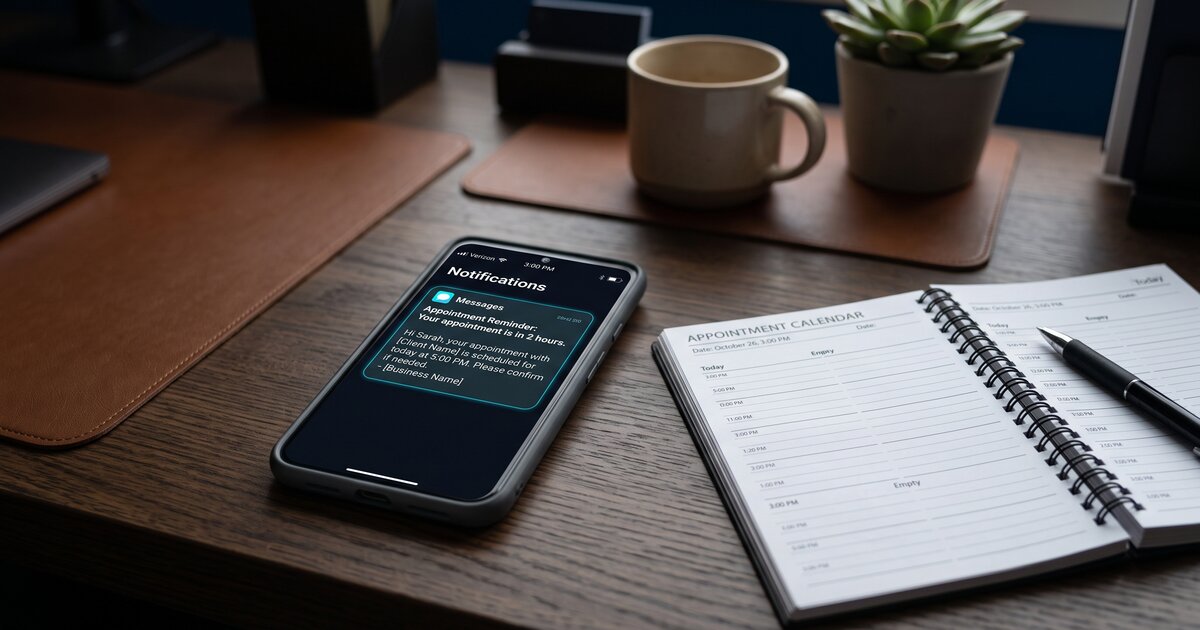
Two hours before: This is the departure reminder. “Your appointment is in 2 hours. See you at [Time]. Address: [Link].” Short. Directional. Gets them moving. This catches the people who are running late, the people who forgot where you’re located, and the people who need one more nudge to get out the door. It’s also your last chance to catch a same-day cancellation and maybe, maybe, fill the slot if you have a standby list.
The sequence works because each message closes a different failure mode. The three-day reminder catches forgetfulness. The 24-hour reminder catches conflicts. The two-hour reminder catches logistics. Together, they plug almost every hole where a no-show can happen. And because they’re automated, you’re not burning hours every week doing this manually. The system just runs.
What This Looks Like in Real Life
When I was running the axe-throwing venue in Augusta, no-shows were killing me. Corporate events, league nights, walk-ins who booked online and then just vanished. A no-show corporate event was a $400 to $800 hit. I couldn’t afford to hold a two-hour block for a group that might not even show up.
I built a reminder system. Three texts: three days out, 24 hours out, and two hours out. Each one asked for confirmation. If someone didn’t confirm by the 24-hour mark, we’d call. If they canceled, the system would notify me immediately so I could pull from the waitlist.
No-shows dropped by about 70%. Not because my customers got more reliable. Because the system wouldn’t let them forget.
A plumber I know in town runs the same setup. He books service calls at $120 each. Before reminders, he’d lose two or three appointments a week to no-shows. That’s $240 to $360 gone. After he turned on a simple two-touch reminder (24 hours and two hours), his no-show rate went from around 18% to under 5%. He got back nearly $15,000 a year just by sending two texts.
It’s not magic. It’s just consistency. The system never forgets. It never gets busy. It never skips a reminder because someone had a rough morning.
You Don’t Need a Developer to Build This
Most scheduling platforms and CRMs handle reminders out of the box now. If you’re using a Smart CRM or an automation platform, you can set up a reminder sequence in about ten minutes. You write the message templates once. You set the timing. And then it runs itself.
If you’re still calling people manually the day before or hoping they remember on their own, you’re working harder than the problem requires. Automated reminders are one of the simplest, highest-return things a small business can build. You set it once. It protects your revenue forever.
No-shows don’t have to be part of the deal.
Running a small business in Augusta and losing appointments to no-shows? Let’s talk. I’ll show you how to set up a reminder system that actually works.